# Beacon HTTP

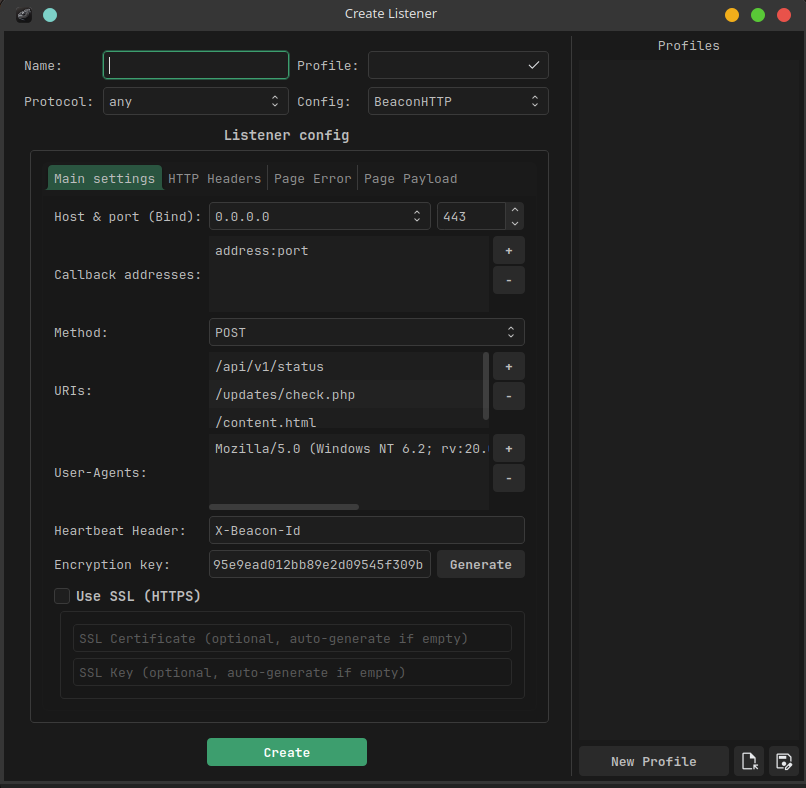
"Beacon HTTP" listener starts a web server and registers a "beacon" agent.

<figure><img src="/files/NBoJwrJ6zc9HN8N8IRbd" alt=""><figcaption></figcaption></figure>

## Beacon HTTP parameters

{% tabs %}
{% tab title="Main settings" %}

<figure><img src="/files/vd2NJOSydWrweOygEBZc" alt=""><figcaption></figcaption></figure>

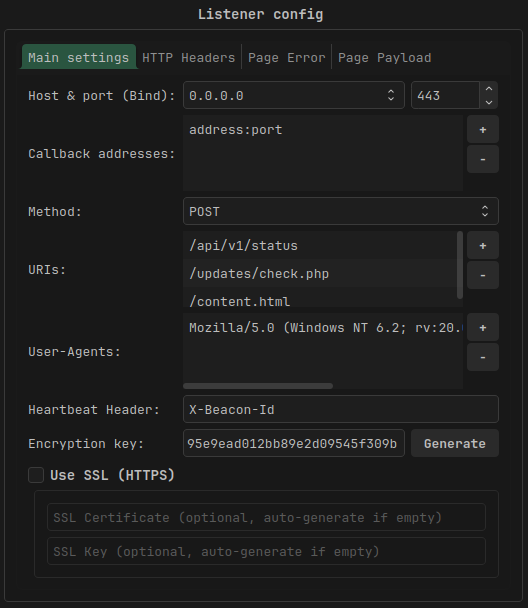
<table><thead><tr><th width="187">Parameter</th><th>Description</th></tr></thead><tbody><tr><td><strong>Host &#x26; port (Bind)</strong></td><td><strong>Required.</strong> The interface address and port to which your HTTP Beacon web server will bind.</td></tr><tr><td><strong>Callback addresses</strong></td><td><strong>Required.</strong> List of address:port to which the agent will send requests. Current server rotation strategy: round-robin.</td></tr><tr><td><strong>Method</strong></td><td>The HTTP method that the agent will use to transmit data to the server and receive commands</td></tr><tr><td><strong>URI</strong></td><td><strong>Required.</strong> The HTTP endpoint to which the agent sends the request.</td></tr><tr><td><strong>User-Agent</strong></td><td><strong>Required.</strong> User-Agent for HTTP requests</td></tr><tr><td><strong>Heartbeat Header</strong></td><td><strong>Required.</strong> The HTTP header in which the agent will transmit registration information</td></tr><tr><td><strong>Encryption key</strong></td><td><strong>Required.</strong> Communication channel encryption key</td></tr><tr><td><strong>Use SSL</strong></td><td>If set, use HTTPS. If the SSL certificate and key are not specified, the server will generate them itself.</td></tr></tbody></table>
{% endtab %}

{% tab title="HTTP Headers" %}

<figure><img src="/files/gAM5We7lwVzMjOiUUdl2" alt=""><figcaption></figcaption></figure>

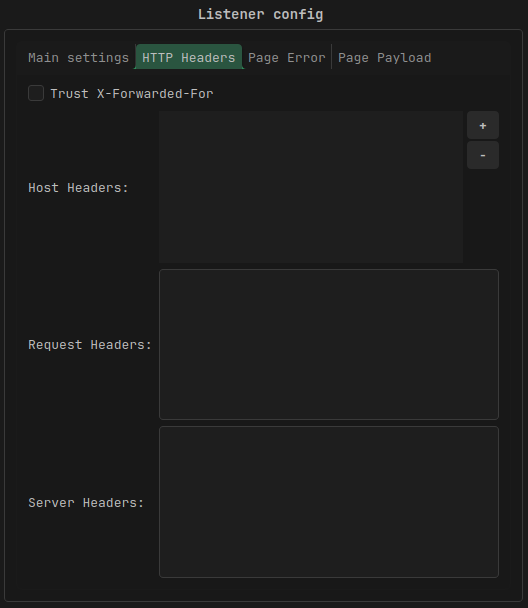
<table><thead><tr><th width="230">Parameter</th><th>Description</th></tr></thead><tbody><tr><td><strong>Trust X-Forwarded-For</strong></td><td>This option decides if listener uses the X-Forwarded-For HTTP header to determine the remote address of a request. <em>Use this option if your AdaptixServer is behind an HTTP redirector</em></td></tr><tr><td><strong>Host Header</strong></td><td>Host header for HTTP requests</td></tr><tr><td>Request Headers</td><td>HTTP headers that the agent will use when sending the request</td></tr><tr><td>Server Headers</td><td>HTTP headers that will be in the server's response.</td></tr></tbody></table>
{% endtab %}

{% tab title="Page Error" %}

<figure><img src="/files/xMlb6hvYLQxcRxTjpGyD" alt=""><figcaption></figcaption></figure>

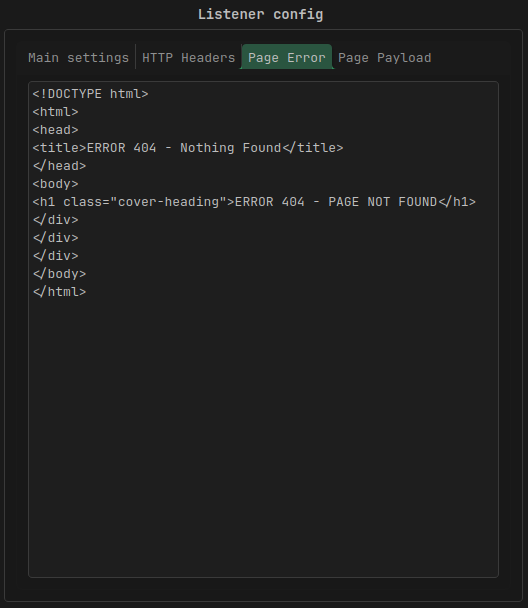
**Page Error** - the HTTP server's response to any request that is not from an agent.
{% endtab %}

{% tab title="Page Payload" %}

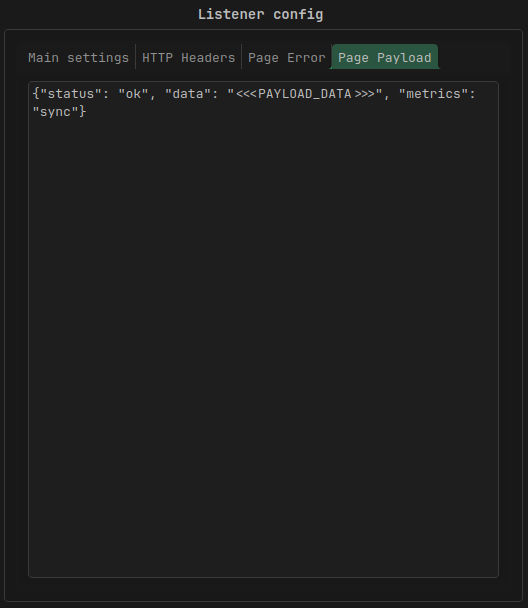
<figure><img src="/files/sx324tFND2AvGsYeZOFq" alt=""><figcaption></figcaption></figure>

**Page Payload** - Server response to agent request. `<<<PAYLOAD_DATA>>>` will be replaced with data for the agent.
{% endtab %}
{% endtabs %}


---

# Agent Instructions: Querying This Documentation

If you need additional information that is not directly available in this page, you can query the documentation dynamically by asking a question.

Perform an HTTP GET request on the current page URL with the `ask` query parameter:

```
GET https://adaptix-framework.gitbook.io/adaptix-framework/extenders/listeners/beacon-http.md?ask=<question>
```

The question should be specific, self-contained, and written in natural language.
The response will contain a direct answer to the question and relevant excerpts and sources from the documentation.

Use this mechanism when the answer is not explicitly present in the current page, you need clarification or additional context, or you want to retrieve related documentation sections.